AniFlow

Self-hosted anime calendar and watchlist

Your season. Your rules.

Your anime season calendar and watchlist, in sync with Shoko Server. Optional downloads that fetch only the releases you chose.

Free, runs in Docker on your own hardware: amd64 and arm64.
Version 0.9, the first alpha.

01 — Calendar

The season, laid out by day.

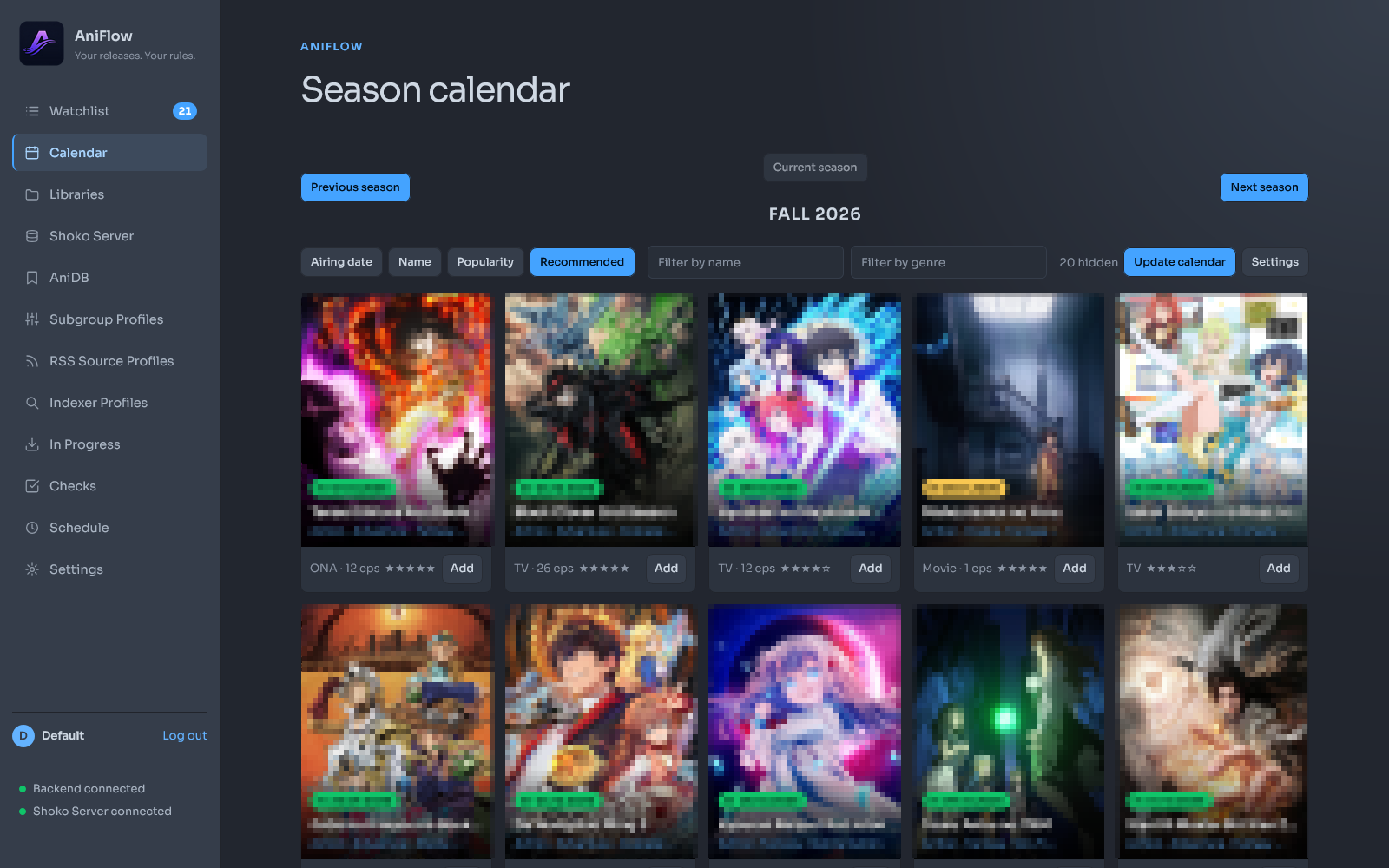
This season and the next, by day. One click to follow a show.

Season calendar

Every show, with its air date and time.

Merged from several public sources and stored on your machine.

  • One click to follow. Shows you track, and their sequels, are marked.
  • Filters. Hide adult content, formats or what you already follow.
AniFlow · Calendar
The season calendar with anime posters grouped by weekday.

From the calendar to a download

Add your own indexers or feeds and AniFlow queues only what matches. How downloads work

Release profiles

Pin subgroup, resolution and source per show. Release profiles

Standalone or with Shoko

Runs on its own, or together with Shoko Server. Shoko Server

02 — Shoko Server

Let Shoko own the library, if you prefer.

Connect your Shoko Server and let the two work together.

Shoko Server mode

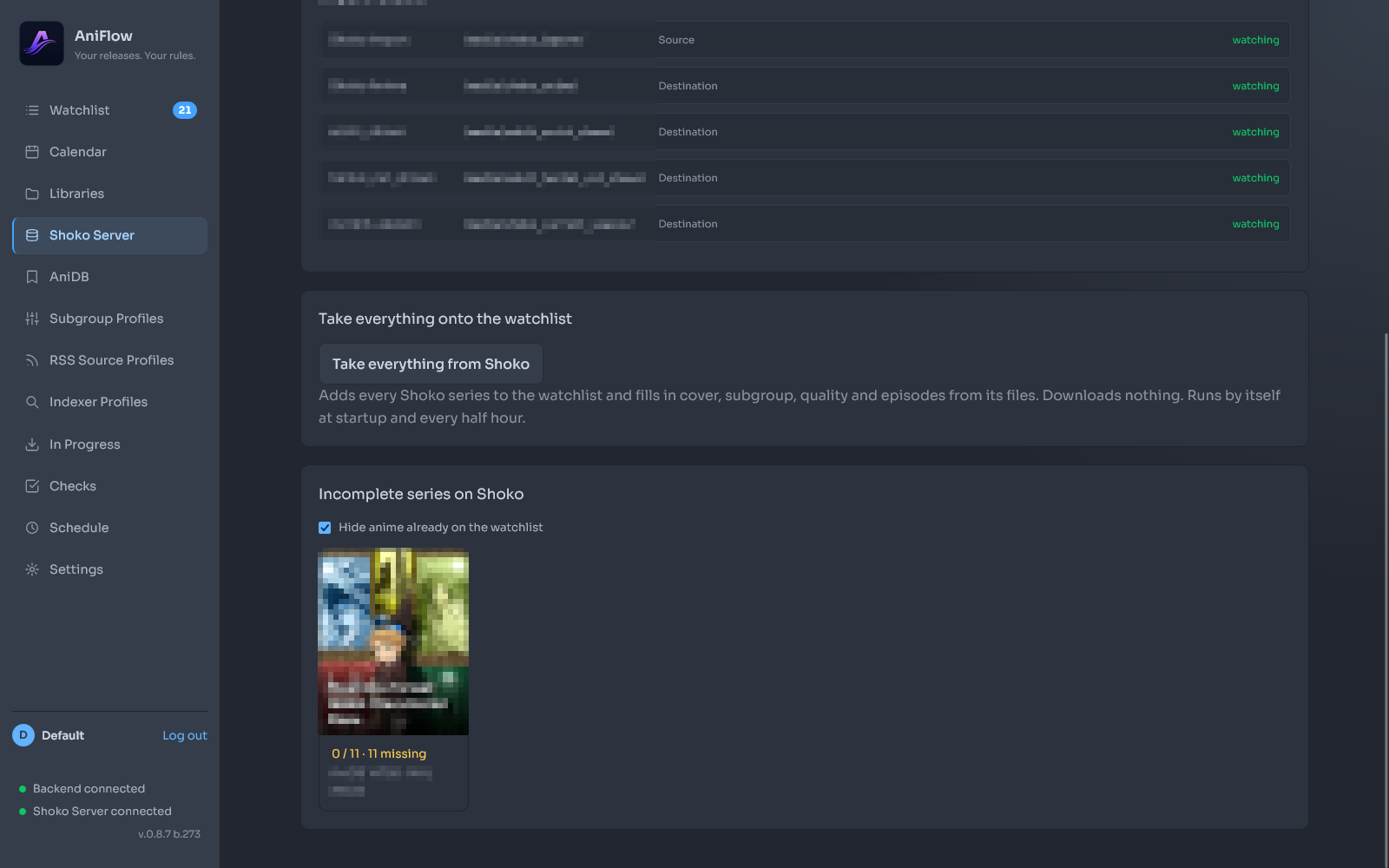
See what Shoko holds, and what it is missing.

Read-only, with the gaps pointed out.

  • Incomplete series. Every episode marked in library or missing.
  • Adopt a series. Take everything Shoko holds onto your watchlist.
  • Hand-over. Finished downloads go to Shoko, and AniFlow finds them again.
AniFlow · Shoko Server
The Shoko Server page showing incomplete series as cards.

03 — Watchlist

Everything you follow, at a glance.

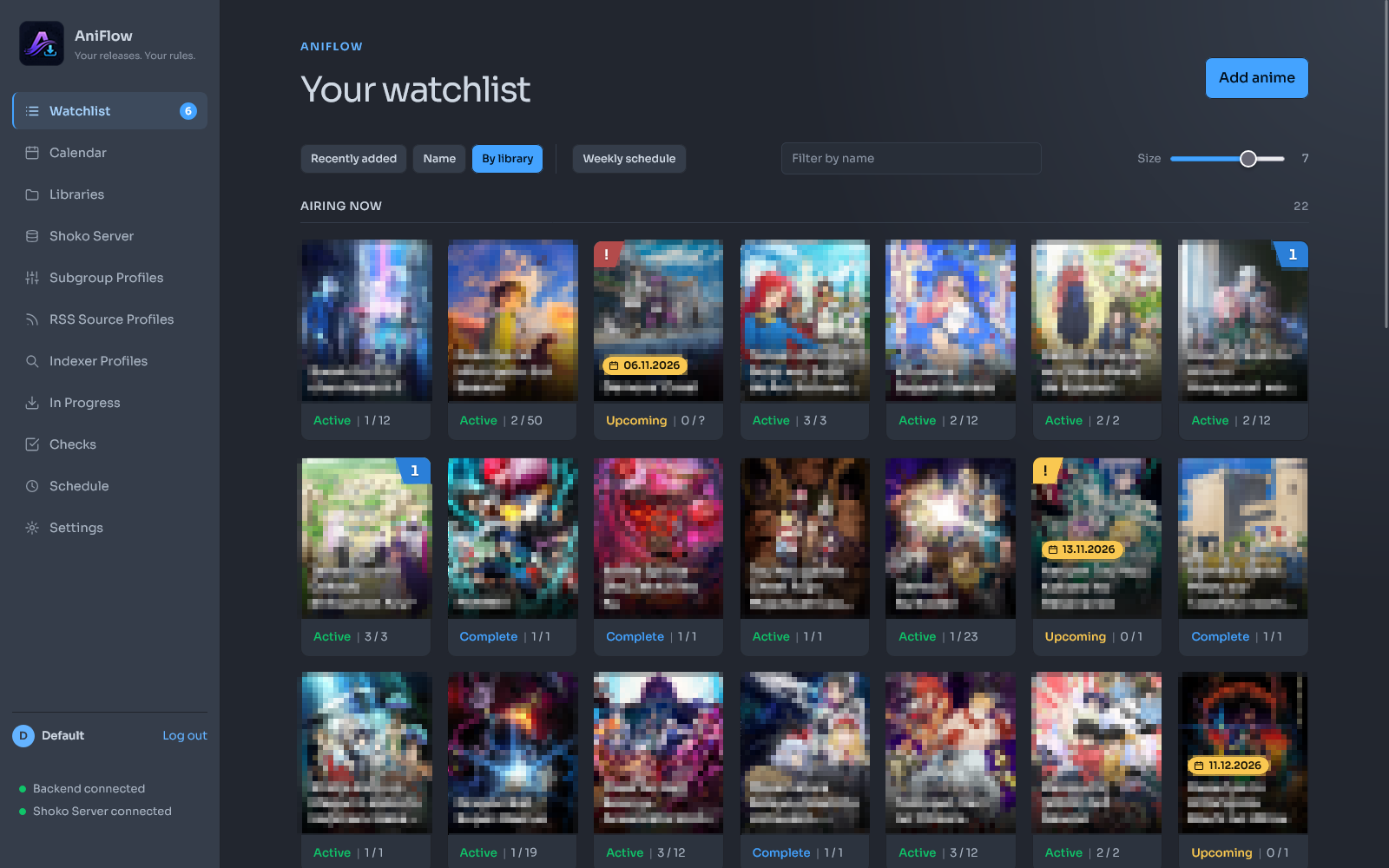
Covers, progress and a weekly schedule for every show you follow.

Watchlist

Search a show, pick a library, done.

Add anything from AniList, with Kitsu as a fallback.

  • True episode state. Taken from what is really on disk.
  • Upcoming. Add a future show now; it waits for its premiere.
  • Corrections stick. Your edits survive a metadata refresh.
AniFlow · Watchlist
The AniFlow watchlist: a grid of anime covers with their episode progress.

04 — Libraries

A name and a folder. As many as you like.

Every show lives in one library. Keep seasons apart, or not.

Libraries

Know where everything lives.

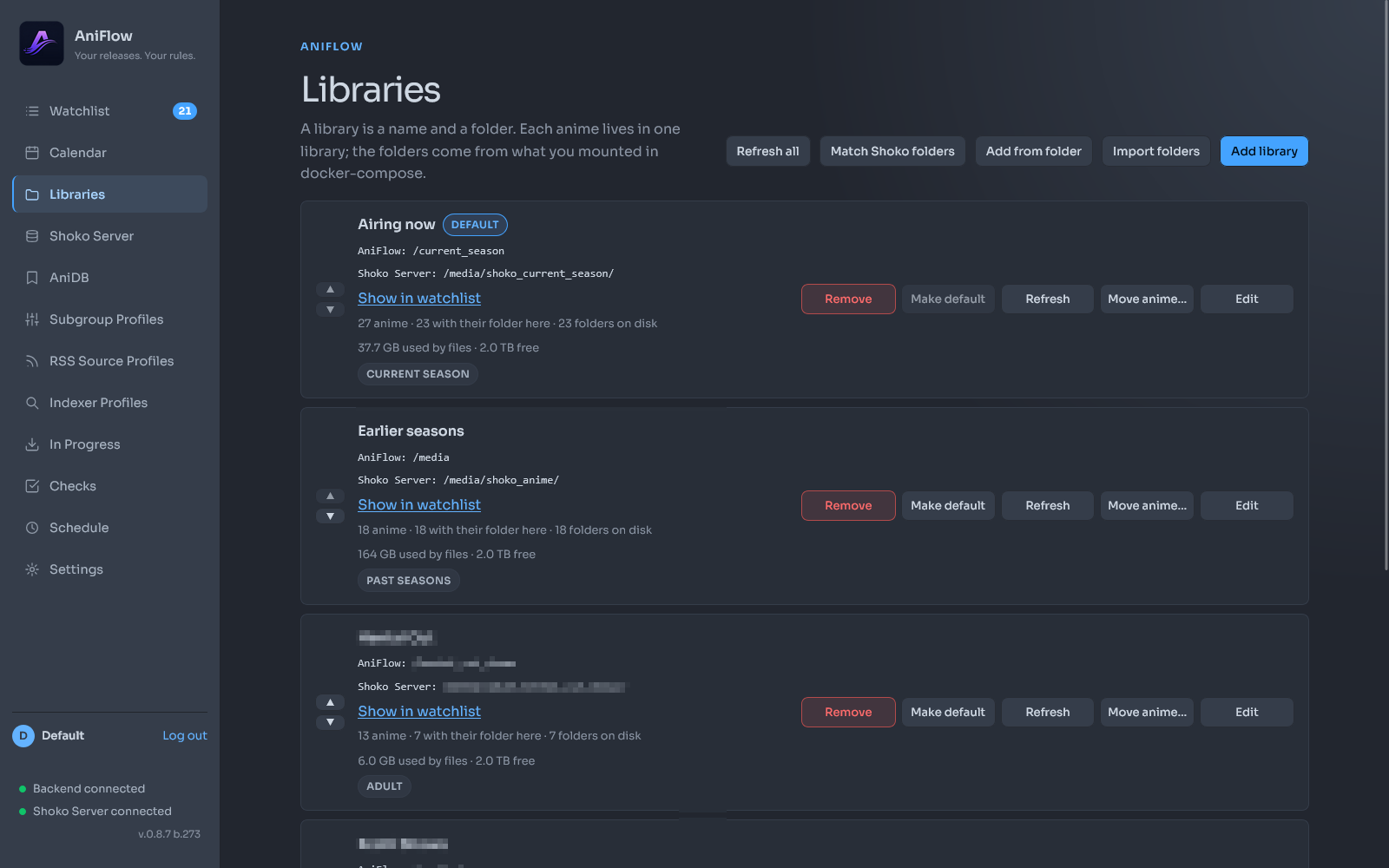
A name and a folder, as many as you like.

  • Refresh to compare a library with what is on disk.
  • Move anime between libraries, files included.
  • Linked to Shoko, with warnings if a folder is not watched.
AniFlow · Libraries
The Libraries page listing each library with its folder.

05 — And more

The rest of what is in the box.

All of it is in the documentation.

Downloads, only if you want them

qBittorrent, Deluge or Transmission. Copy, move or hardlink.

In Progress and Attention

What is happening, and cards for what needs you.

Subgroup profiles

Define a group and resolution once, reuse everywhere.

Choose release

Search your indexers by hand and pick the exact file.

Setup wizard and Checks

A short first run, and a page that says what to fix.

A schedule you can see

Every background task, with its own interval.

Themes and two languages

Dark and light themes. English and German.

One account, no email

A one-time code in the log. Built for a home network.

A television API

Companion TV apps with their own revocable tokens.

Polite to the services it uses

Spaced requests. AniDB only via its title dump.

Backups are two folders

Copy data/ and config/.

Updates migrate themselves

The database upgrades itself at start-up.

06 — Self-hosting

One container, four folders.

One Docker image, aniflow/aniflow, on a single port.

  • Runs on TrueNAS, Linux, Raspberry Pi, Docker Desktop (amd64, arm64).
  • Needs Docker with Compose.
  • Remote access behind a reverse proxy or VPN.

Full installation guide

# Docker Compose (docker-compose.yml)
services:
  aniflow:
    image: aniflow/aniflow:latest
    user: "1000:1000"
    environment:
      TZ: Europe/Berlin
    ports: ["9630:9630"]
    volumes:
      - /docker/aniflow/config:/config
      - /docker/aniflow/data:/data
      - /media/anime:/media
      - /media/downloads:/downloads
    restart: unless-stopped

# then: docker compose up -d
# or the Docker CLI
docker run -d \
  --name=aniflow \
  --user 1000:1000 \
  -e TZ=Europe/Berlin \
  -p 9630:9630 \
  -v /docker/aniflow/config:/config \
  -v /docker/aniflow/data:/data \
  -v /media/anime:/media \
  -v /media/downloads:/downloads \
  --restart unless-stopped \
  aniflow/aniflow:latest

# open http://<your-host>:9630

Get AniFlow.

Free to run, and entirely yours.

Version 0.9 (first alpha) · Docker · Linux, TrueNAS, Raspberry Pi, Windows